Your booking system might be doing its job perfectly.
Your website might be doing its job mostly well.
But if the two do not work together, the client experience can still feel clunky.
This happens a lot in beauty, skin and wellness businesses. The website explains the treatment one way, the booking system names it another way, the consultation requirement is mentioned somewhere else, and the client is left trying to piece it all together before they book.
That is a lot to ask from someone who just wanted to sort their skin, book a facial or make an appointment between meetings.
The short version
Your website and booking system should feel like one connected client journey. The website should explain the service clearly, then guide people into the right booking step without confusion.
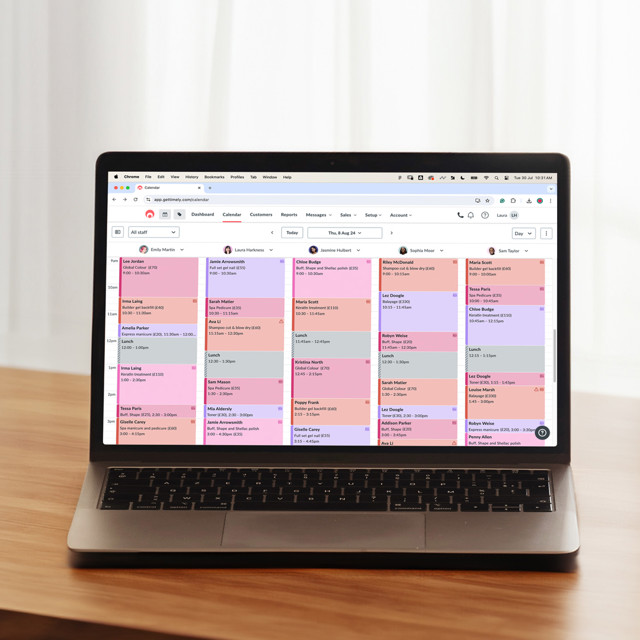
If you use Timely, Kitomba or another booking platform, your website should support that system with clear service descriptions, matching terminology, obvious buttons and helpful notes around consultations, timing and next steps.
Less “where do I click?” and more “lovely, that makes sense.”
The website sets up the booking decision
Most people do not arrive at your booking system with no context.
They usually move through your website first. They read about a treatment, compare options, check whether the service suits them, look for trust signals, then decide whether to book.
That means the website has an important job before the booking system ever appears.
It needs to help people understand what the service is, who it is for, what they can expect and whether there is anything they need to know before booking.
If the website does that well, the booking system becomes the natural next step. If it doesn’t, the booking system has to carry too much of the decision.
Use the same names where possible
Service names should feel consistent across the website and booking system.
If your website says “New Client Skin Consultation”, but your booking system says “Initial Skin Journey Appointment”, people may hesitate. Even if the services are technically the same, the mismatch can create doubt.
This does not mean everything has to be painfully identical, but the client should feel like they are moving through one clear experience.
For clinics with larger menus, this is especially important. Facials, skin treatments, LED sessions, peels, add-ons, consultations and packages can already feel like a lot. Matching language helps remove one layer of confusion.
Make consultation pathways obvious
If new clients need to book a consultation first, say that clearly on the website.
Don’t rely on the booking system to explain it at the final step. By then, the client may have already spent time looking through treatments and deciding what they think they need.
For skin clinics, this matters because clients often do not know where to start. They may be looking at facials, peels, LED, skin needling or product recommendations without knowing which is most suitable.
A simple pathway can make the experience much easier:
- New to the clinic? Start with a skin consultation.
- Existing client? Book your recommended treatment.
- Not sure? Send an enquiry before booking.
Sometimes the simplest wording does the most useful work.
Your buttons need to match the next step
Not every button should say “Book now”.
For simple appointments, that may be perfect. Brows, lashes, waxing, massage or maintenance treatments often suit a direct booking pathway.
For more involved services, like skin consultations, treatment plans, advanced treatments or website projects, the next step might need to be “Book a consultation”, “View treatments”, “Send an enquiry” or “Start here”.
The button should match what the client is ready to do.
This is the same principle I use when designing service pages. The next step should feel obvious, not pushy. A button is small, but it can change the whole feel of the page.
The booking system should not be the only place with details
Booking systems are useful, but they are not always the best place to explain everything.
Some clients will scan quickly inside the booking platform. Others may not open every service description. Some will book from their phone while doing three other things. Very normal. Very human.
Your website should explain the important details before people click through.
That includes who the treatment suits, how long it takes, whether there is downtime, whether a consultation is needed, and what the client should expect.
If your website does the education well, the booking system can focus on availability, timing and confirmation.
Think about the client moving between platforms
Your client does not think of your website and booking system as separate tools.
They just think of it as your business online.
If they move from a beautiful, clear website into a confusing booking experience, the trust you built can wobble. If the booking page feels organised and consistent, it reinforces the decision they have already made.
That might mean matching service names, using similar wording, choosing the right booking categories, adding short notes where needed, and making sure the right link goes to the right place.
Small details, big difference.
Use your website to reduce booking mistakes
Clear booking pathways can reduce mismatched bookings.
If clients are often booking the wrong treatment, choosing an add-on without the main service, skipping consultations or booking something unsuitable for new clients, the website may need clearer guidance.
This is not about blaming the client. It is usually a sign the pathway could be clearer.
A better website can explain which treatments are for new clients, which are for existing clients, which services require consultation, and which options are best booked together.
If your treatment menu is part of the issue, How to make your treatment menu easier to understand online goes deeper into that.
Case studies can show the value of a clearer pathway
Clinic and wellness websites often need to help people understand the business before they take action.
That is why projects like 23 Therapies, Skin Health Studio and Skin Dynamics Winton are useful examples. The website has to support trust, explain the offer and make the next step feel easier.
The booking system is only one part of that experience. The website is what sets the client up to use it confidently.
A smoother booking journey saves time
When your website and booking system work together, the whole client journey feels easier.
Clients understand what to book. They feel more confident choosing a service. They ask fewer repetitive questions. They arrive with clearer expectations.
That can make the business easier to manage too.
If your booking process currently feels a little clunky, the answer may not be changing systems. It may be improving the way your website guides people into the system you already use.
Website in a Week can help beauty, skin and wellness businesses create clearer service pathways and a smoother online client journey.
You can view the Website Design page, or submit a project enquiry if your website and booking flow need to work together more clearly.

